The switch says requested, not running
The pellet stove has no network. The relay only reports that heat was asked for — whether it is burning is revealed solely by the ignition spike in the power draw.
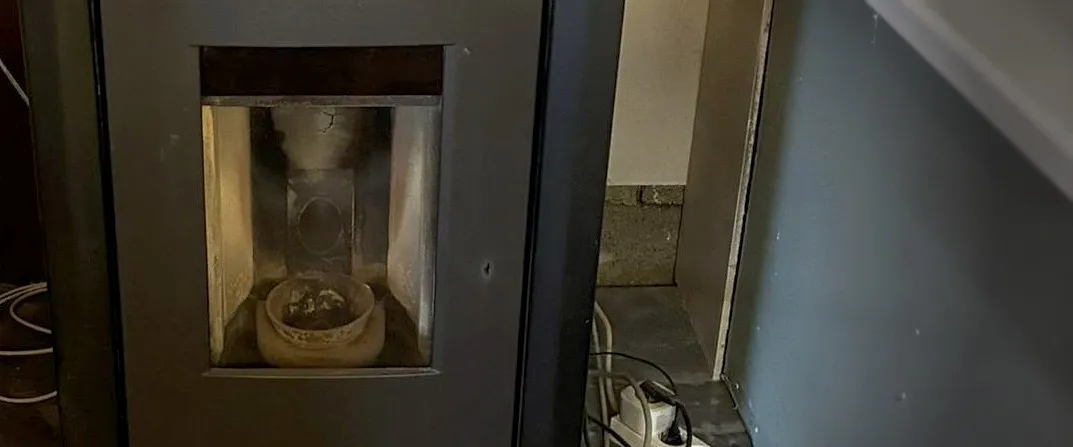
The pellet stove in Kapfenberg has no Wi-Fi. No integration, no cloud, no interface — from the stove itself comes nothing.
Everything you want to know about it has to be measured from outside. And in doing that, a difference becomes clear that I had never seen so sharply before: a switch and a meter say two completely different things.
What the relay actually reports
A small switching relay closes the contact that an external room thermostat would otherwise close. It brings the stove out of standby into operation.
Its state therefore says: “heat was requested.”
It does not say: “it is burning.”
In between lies everything that can go wrong — no pellets in the hopper, a fault, a start-up that fails to ignite.
A dashboard showing only the relay then reports heating while the house gets cold. And it reports it convincingly, because from its point of view everything is fine.
What the power measurement reveals instead
A pellet stove has three clearly distinguishable consumption levels, and that makes it readable from outside:
| State | Power | why |
|---|---|---|
| off | 0 W | — |
| standby | a few watts | electronics only |
| ignition | several hundred watts | the glow igniter |
| running | a few tens of watts | auger and fan |
The ignition spike is the proof. If it fails to appear after switching, something is wrong — and that is exactly what can be reported.
So the stove hangs on a measuring plug, and that plug is worth more to me than the switch:
| Device | says |
|---|---|
| relay | heat should be produced |
| measuring plug | heat is being produced |
Honestly: the wattage ranges above are the usual build of a pellet stove. For this stove they had not yet been measured at integration time. An automation relying on thresholds belongs after that measurement, not before it.
Local, not through the cloud
The plug is a cloud device but can be addressed locally. For that it needs a device key, fetched once from the account.
And it is precisely there that I made a mistake I am writing down because it can happen to anybody.
The key ended up in the conversation
To see where the address goes, I queried the fields of the settings dialog. The answer came back like this:
key string desc={'suggested_value': '<the real device key>'}A settings dialog returns stored secrets as suggested values — and I printed the field list unexamined. So the key stood there in plain text, although this project has a rule that secrets are typed by the human. I had quoted that rule in the same conversation.
For the actual write, the value was then only passed on programmatically and
printed as <32 characters>. That is how it should have run from the start.
The answer of a settings or setup dialog is secret-suspect. Filter before printing, not after.
For context, without playing it down: it is the device key, not the account password. Whoever has it and is on the same network can talk to the devices locally. Changing it would mean resetting the devices on the account.
And a device that does not exist
For weeks my own documentation listed a Bluetooth temperature sensor as the source of the living room’s room temperature.
Checked in the device registry: not a single device of that kind, and not one entity with temperature in its name in the living-room area.
The sensor does not exist. It never did.
That is the same class of error as the configuration file that never worked: something sits in the documentation, looks plausible, and nobody measures whether it is there. Except that here it would have been even cheaper to check — one query of the device registry.
What I’d suggest
- Measure instead of switching — or measure in addition. A relay state is an intention, not a result.
- Look for the signature that proves operation. On a pellet stove it is the ignition spike; on a washing machine the heating surge, on a fridge the start-up current.
- Do not build an automation on thresholds you have not measured. Typical values are a starting point, not evidence.
- Treat the answer of every settings dialog as secret. Stored values come back as suggestions — filtering happens before, not after.
- Check in the device registry whether what your documentation claims exists. A sensor that does not exist produces no error. It produces a gap nobody sees.
So what?
The stove is the most silent device in the whole house, and instructive for exactly that reason. Because it says nothing, every claim about it has to be evidenced from outside — and that makes you notice how many claims elsewhere are not evidenced but merely read off.
A relay showing “on” is such a claim. It is true; it just means something other than what you read.
And the two mistakes of my own in this project have the same shape: a key I printed without looking, and a sensor I documented without checking. Both times the problem was not the technology but that I passed something on instead of looking at it.
If you want to follow this: use RSS
No newsletter. You give me no address, I keep no list, and nobody has to agree to anything to learn that an article is finished. RSS is the older and, for both sides, the more honest solution.
How it works, and why no newsletter
- 1Get a feed reader. No account needed with an app on your phone or a browser extension; use a hosted service if you prefer.
- 2Add the address above to it.
- 3Done. New articles turn up in your reader by themselves — unread stays unread, and nothing lands between invoices and ads in your inbox.
Why that is better: your reader fetches the file. I get no address and cannot see who reads or whether anyone opened it. Unsubscribing means deleting the entry — no link, no confirmation mail, no me.
Related
The stove obeys again — for 55 instead of 299 euros
The pellet stove accepts heat level and target temperature again. It took a 32-euro converter, the right baud rate, and one line of code in the right place.
Ten cameras, one account — and the model decides
Five of my Blink cameras deliver an image every day, three almost never. Not location, not battery, not signal strength separates them — the product line does.
This device has Wi-Fi — and still stays outside
A grill with a core temperature probe, a switch found on the water connection. I could integrate both. Why I did neither.