A guessed wait is not a check
The lock needs 38 seconds; my automation waited 20. The second command hit the motor mid-travel — and took the confirmation down with it.
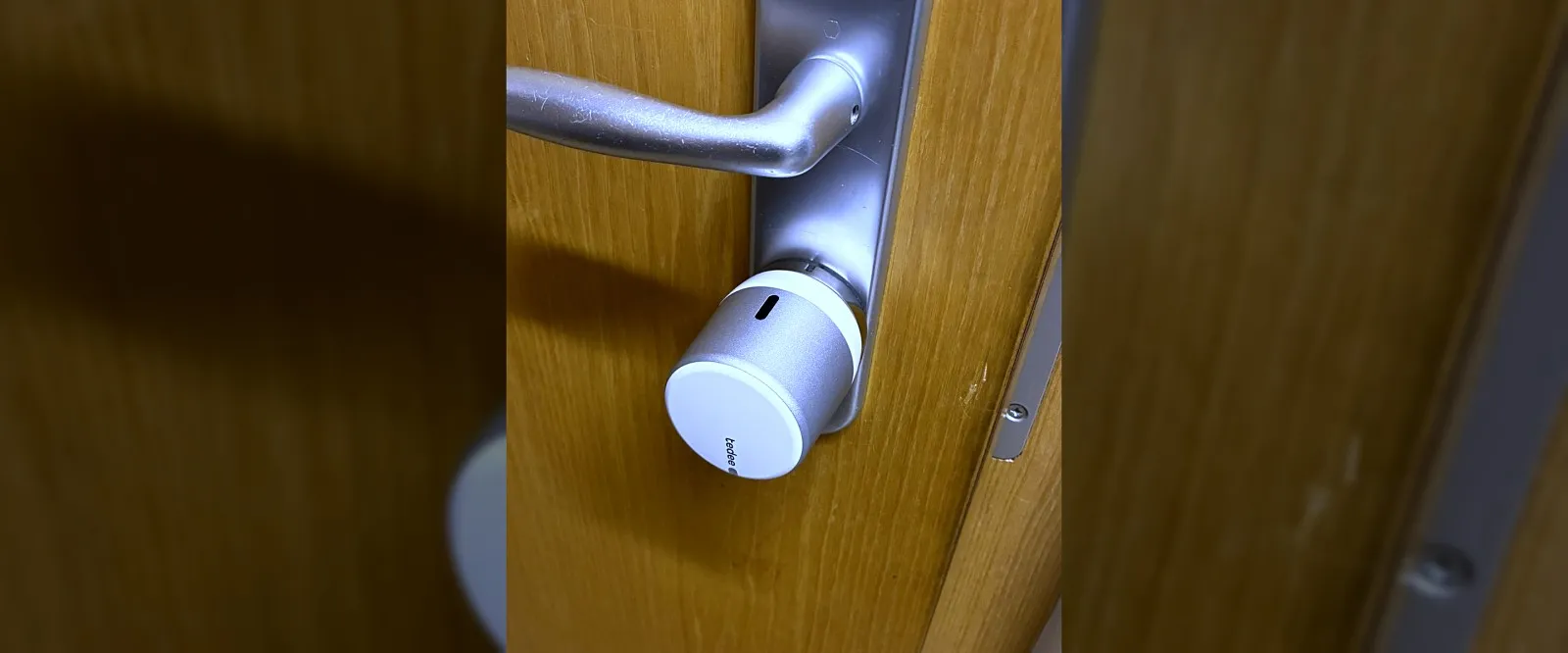
The flat door in Merano locks itself when the button is held down on the way out. For that it first had to know whether it is actually shut.
The door contact for that is fitted. And it is not a Zigbee device — it sits in the lock as an accessory and arrives through the lock’s own integration.
I already had the Zigbee pairing window open before the hint came. Reloading the existing integration was enough, and the entity was there.
Before pairing a device, it is worth asking whether it is not already there.
Two small things before it could start
The name. Home Assistant prefixed the area, turning the contact into a name with hallway and corridor in it. Pulled back to something readable — because with a door contact “on” means open, and the name has to read the right way round, or you build the condition backwards.
Measuring before trusting. A contact stuck at “open” would prevent locking permanently and silently. So it was moved before it went into the logic:
15:17:32  shut
15:21:32  open
15:22:02  shut      — 30 seconds open
Both states evidenced, not assumed.
Side finding: both changes land on :32 and :02. The lock is polled about
every 30 seconds — so the reading can be half a minute old. Irrelevant for a
three-minute delay, but worth knowing.
What the contact achieves
button held → 3 min → door shut?  yes      → lock
                      door open   → wait up to 10 min
                                    shut now?  yes  → lock
                                               no   → WARNING, do not lock
The ten minutes are not a luxury: anyone fetching another bag on the way out holds the door open for more than three minutes. That is the normal case, not a fault — so wait rather than abort.
If it is still open after ten minutes, the bolt does not extend. It would travel into thin air and hit the frame when the door is pulled shut.
The trial run — and the fault in it
15:39:05  button held
15:39:12  away
15:39:34  door open, bathroom heating → 12 °C
15:42:11  door automation fired — and did NOT lock   ← the checkpoint
15:42:14  water off
15:46:33  door shut
15:46:42  locking
15:47:20  locked
15:47:36  button pressed → home, water on, heating 21 °C
The lock held, the logic was right. From outside everything looked correct.
The log nonetheless held an error — and the reason is one number:
The lock needs 38 seconds and stands at “locking” for all of them. My first version waited a stubborn 20 seconds, found “locking” instead of “locked”, took that for a swallowed command and sent a second one — straight into the motor’s travel.
The lock rejected it. Home Assistant counted the rejection as an error, and the automation aborted.
The door shut. The confirmation never came.
That is the same silent failure this whole package is built against — this time in my own code. I only found it because I looked at the log after the trial run.
Twice in one day, two devices
The real finding is not the fault but the pattern:
| Device | checked after | motor needs | consequence |
|---|---|---|---|
| water valve | 15 s | 40 s | the fallback fired every time |
| door lock | 20 s | 38 s | the second attempt took the notification down |
Both numbers were guessed. Both were plausible. Both were too short.
A guessed wait is not a check. It is a claim about how long a motor takes — and it holds for exactly one device, namely the one you guessed it on.
The right way is to wait for the result, not for the clock:
- action: lock.lock
  target: { entity_id: lock.<door> }
  continue_on_error: true
- wait_for_trigger:
    - trigger: state
      entity_id: lock.<door>
      to: "locked"
  timeout: "00:01:30"
  continue_on_timeout: true
Three things in there are deliberate:
Waiting for the state instead of a fixed pause. It is done when the device is done, not when the clock has run out.
The timeout with “continue on timeout”. If the confirmation fails to arrive, the notification should still go out — saying that it failed to arrive.
And “continue on error” on the switching command itself, so a rejected command never swallows the notification again.
A fault while switching may do all sorts of things. Just not make sure that nobody hears about it.
What I’d suggest
- Ask whether the device is not already there before you open a pairing window. Accessories often arrive through the main device’s integration.
- Move a contact before you believe it. A sensor stuck on one state silently blocks everything that depends on it.
- Measure how long your device really takes — and then do not use that number, but wait for the result.
- Set a timeout and let the notification out anyway. “No confirmation” is information, not a reason to stay quiet.
- Do not let a rejected command abort the automation.
- Read the log after a trial run, even when everything worked. Here there was nothing to see from outside.
So what?
The door was shut, the heating was down, the water was off. Everything this package is supposed to do, it did.
And it was broken all the same — at the one point you cannot see from outside: it could no longer have told me that it did what it is supposed to do. Next time, when the door genuinely does not shut, the silence would have been identical.
Two guessed numbers in one day, both too short, both plausible. That is not coincidence but a property of guessed numbers: you guess them from what you can picture — and a motor that travels for 38 seconds appears in nobody’s picture.
If you want to follow this: use RSS
No newsletter. You give me no address, I keep no list, and nobody has to agree to anything to learn that an article is finished. RSS is the older and, for both sides, the more honest solution.
How it works, and why no newsletter
- 1Get a feed reader. No account needed with an app on your phone or a browser extension; use a hosted service if you prefer.
- 2Add the address above to it.
- 3Done. New articles turn up in your reader by themselves — unread stays unread, and nothing lands between invoices and ads in your inbox.
Why that is better: your reader fetches the file. I get no address and cannot see who reads or whether anyone opened it. Unsubscribing means deleting the entry — no link, no confirmation mail, no me.
Related
Both came home — and the automation said nothing
Unlocking the door was supposed to produce a photo. None appeared. The trigger was waiting for a state change this lock never makes.
Port 554 stays closed — and that is not a fault
The new Tapo camera would not integrate. The reason is a protocol change you will need again at your next purchase — and that nobody prints on the box.
Ten hours without water, and the watchdog said nothing
A valve closed at midnight and never reopened. The monitoring built for exactly that stayed silent — for a reason that affects every alarm in the house.